
Make Your WordPress Website Faster, Smoother And Easier To Use
If your WordPress website is slow, visitors might leave before they read your content, get in touch, or send an enquiry.
We make WordPress websites faster, easier to use on mobile, and more efficient. Our work includes speeding up loading times, making pages lighter, cutting down on unnecessary plugins, and optimising images for a smoother experience on key pages.
Speed Up My Website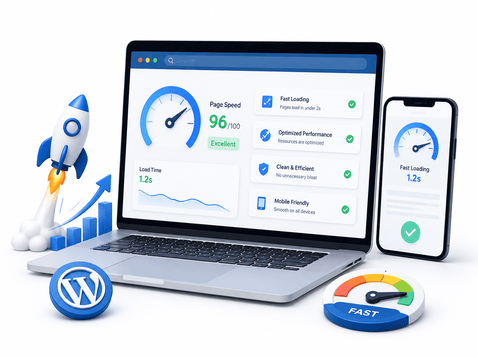
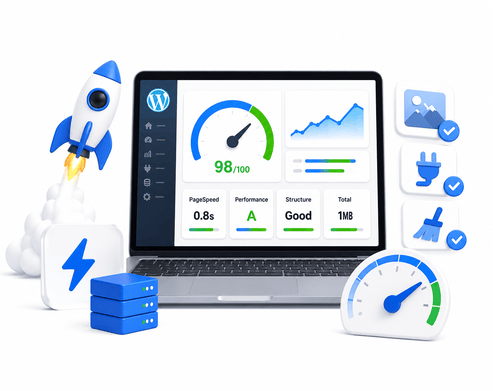
A faster WordPress website creates a better experience for every visitor
The speed of your website shapes how people experience your business online. If your pages load slowly, visitors might leave before they see your offer, click a button, or fill out a form.
We check for anything that might be slowing down your WordPress site, such as large images, too many plugins, unused scripts, weak caching, theme problems, database clutter, and issues with mobile performance.
Next, we make the website run faster and smoother on both computers and mobile devices, so pages load quickly and feel easier to use.
Improve My Website SpeedWhat We Improve To Make Your WordPress Website Faster
WordPress sites can slow down for many reasons, including images, plugins, themes, scripts, caching, hosting, and how your pages are built. Here, we look at the main factors that affect your website’s speed and user experience.
Page Speed Review
We review key pages to identify what might be causing slow loading times or affecting the user experience.
Image Optimization
We make your images smaller, use better formats, and help your pages load faster.
Plugin Cleanup
We check for plugins you don't need, any plugin conflicts, and extra features that might slow down your website.
CSS & Script Optimization
We remove unnecessary files, make loading faster, and cut out anything that slows things down.
Caching Setup
We set up caching to help your regular visitors and key pages load more quickly and smoothly.
Mobile Performance
We make sure your site loads quickly on mobile, so visitors can browse, tap buttons, and fill out forms without any trouble.
Core Web Vitals Review
We look at key performance factors such as how quickly a page loads, how stable the layout is, and how responsive the page feels.
Database Cleanup
We remove extra WordPress files and data that can slow down your site’s backend over time.
Final Speed Testing
After we finish optimizing the website, we test it to make sure the pages load faster, look better, and work as they should.
How Our WordPress Speed Optimization Process Works
We use a simple process to find out what is making your website slow, fix the main problems, and test everything once we’re done. Our goal is to make your WordPress site lighter, faster, smoother, and easier for your visitors.
Website Speed Audit
We check your website’s speed, how quickly pages load, how it works on mobile, Core Web Vitals, and look for large files, plugins, images, and scripts to find the main issues.
Performance Issue Mapping
We organize the issues by priority. These include large image files, too many plugins, caching problems, unused CSS, slow JavaScript, hosting limits, and a cluttered database.
Optimization Setup
We make your WordPress site faster by optimizing images, setting up caching, removing extra files, and cleaning up anything that slows down your pages.
Mobile & Page Testing
We check key pages on both desktop and mobile to ensure that layouts, forms, buttons, menus, images, and main website features all work as they should.
Final Review & Recommendations
We look over your optimized website, check how its performance has improved, and share tips to help keep your WordPress site running quickly in the future.
What changes after WordPress speed optimization?
Speed optimization improves your WordPress website’s performance, allowing visitors to browse quickly and without frustration.
A slow website that feels heavy and frustrating
Visitors experience excessive wait times before accessing your content or interacting with the page.
Large images, scripts, and unused files reduce the website’s speed and efficiency.
Mobile users often face slow loading times, shifting layouts, and laggy page responses. These issues make browsing less enjoyable.
Having too many extra plugins and features can make your website run slower, both for visitors and when you manage it behind the scenes.
A faster website that feels cleaner and easier to use
Key pages now load faster, making it easier for visitors to find what they need quickly.
We have optimized images, scripts, caching, and removed unnecessary files to help the website run more smoothly.
Mobile users will notice faster loading times and pages that work more smoothly.
When you reduce clutter and improve optimization settings, it becomes much easier to maintain your website.
WordPress Speed Optimization FAQs
Key questions businesses consider before working to improve the speed, performance, and loading experience of their WordPress website.
WordPress websites often slow down due to heavy images, too many plugins, poor caching, large scripts, bloated themes, weak hosting, database clutter, or unoptimized page layouts.
This can cover tasks like optimizing images, setting up caching, cleaning up plugins, improving scripts and CSS, cleaning the database, checking mobile performance, reviewing Core Web Vitals, and running a final speed test.
We make careful improvements to boost your website’s performance while keeping your design intact. Once we finish, we test key pages, buttons, forms, menus, images, and mobile layouts to make sure everything works smoothly.
Improving your website’s speed can boost both user experience and technical SEO. When your pages load faster, visitors are less likely to get frustrated and can navigate your site more easily.
Check your website’s speed after making big design changes, updating plugins, launching new pages, or adding content. Doing regular checks helps your site stay clean and run smoothly.
A faster website performs even better with the right SEO and development support
Speed optimization improves how your website feels for visitors. These services help strengthen your website structure, SEO visibility, user experience and conversion performance even further.
Technical SEO Services
Address crawl, indexing, site structure, schema, and other technical problems that can impact your website's search visibility and performance.
Read More →SEO Audit Services
Discover speed, content, technical, and on-page problems that could be stopping your website from reaching its full potential.
Read More →Website Redesign
Update old pages to have simpler layouts, work better on mobile devices, and help more visitors take action.
Read More →WordPress Development
Create WordPress websites that are clean, responsive, and simple to manage, with a solid structure and sections designed to help your business grow.
Read More →On-Page SEO Services
Make your headings, content structure, internal links, and page clarity stronger. This helps both visitors and search engines understand your pages more easily.
Read More →Landing Pages
Build responsive, conversion-focused landing pages for your ads, offers, and campaigns that encourage visitors to take action and become leads.
Read More →We’re ready.
Are you?
Schedule a free 30-minute strategy call with our team. We’ll look over your WordPress site, identify what’s slowing it down, and help boost its speed, mobile performance, loading times, and overall usability.
Contact Us